Brochure, portal and licensing
BKC Soft
Three systems under one address — a brochure site, a partner portal carrying daily reports from the till, and an admin side that issues licences to fiscal register software.
Visit site ↗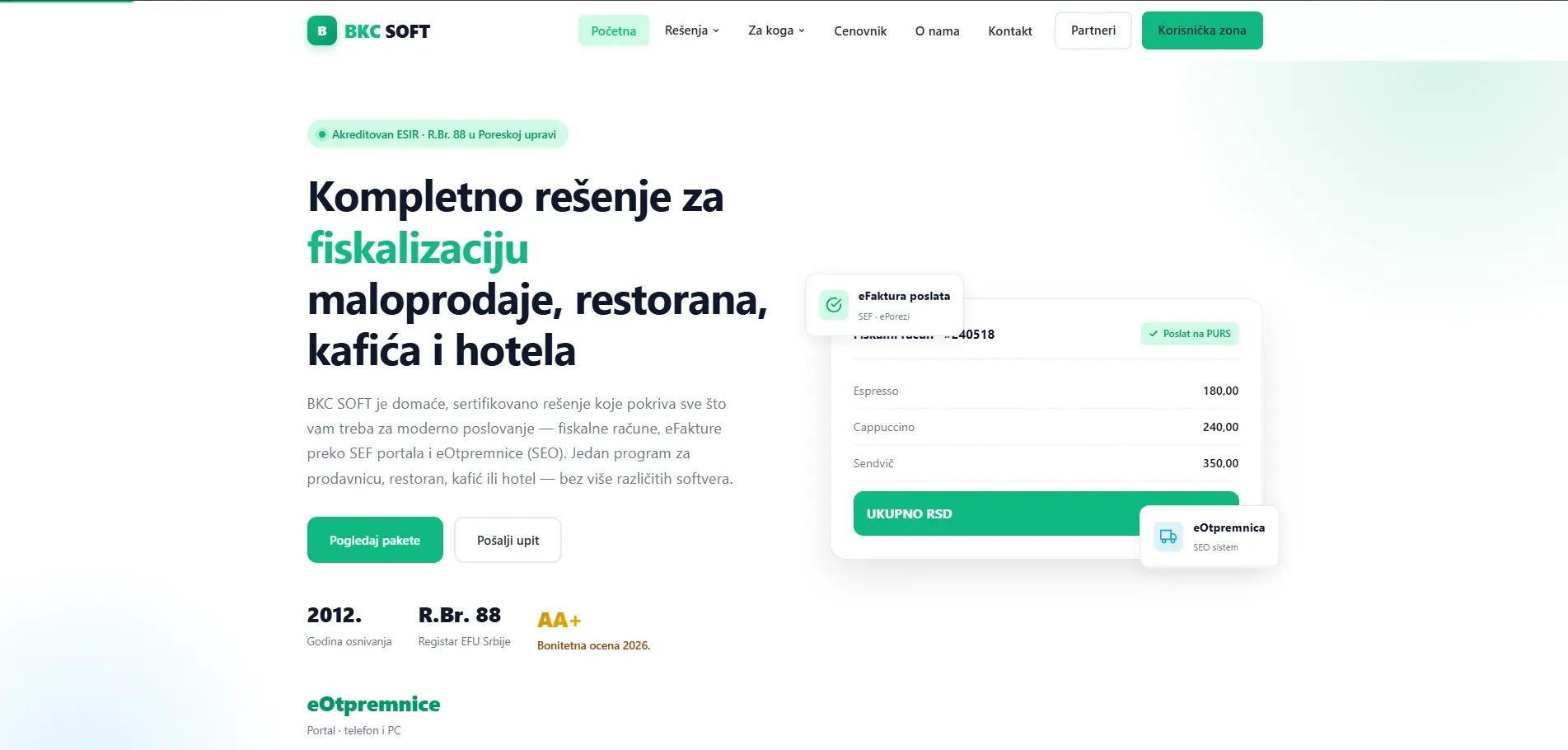
Problem
BKC Soft is an accredited ESIR, registration number 88 with the Serbian tax administration, and their fiscal register software runs at a large number of sites. Two things were still being done by hand. Licences were issued and extended outside the system, so every change meant someone had to reach the installation itself. And an owner with several locations had nowhere to see how the day had gone — turnover sat in the register, on site, and got added up over the phone.
Solution
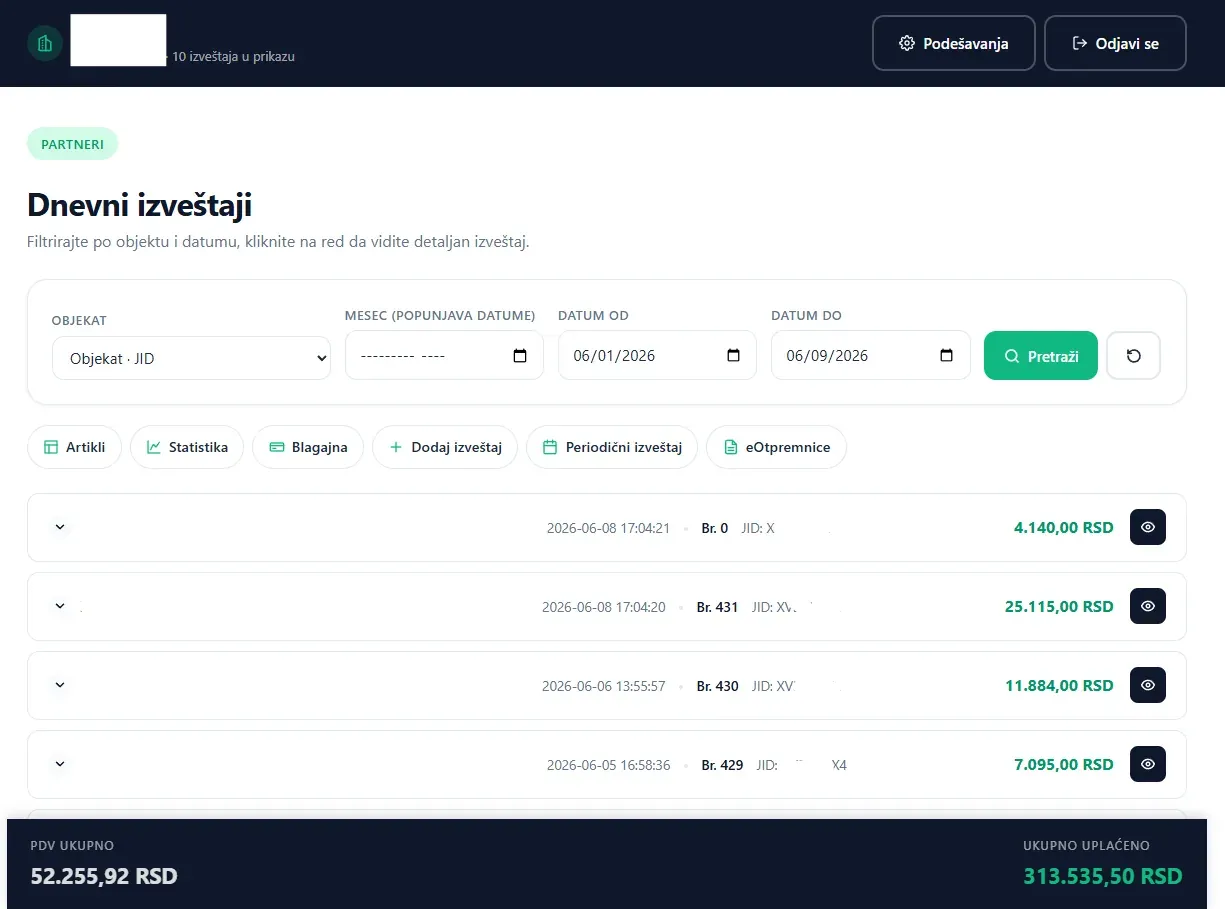
The website became the place the software takes its licence from and sends its daily reports to. When a user is added in the admin panel, a unique registration number is generated from the one inside the software, and the software then pulls its licence by it. In the partner zone an owner sees turnover by location and by day, with a periodic report and an export whenever the accountant needs one.
What was built
- Brochure section with pricing and description of the solutions
- Partner zone with daily reports, separated per location
- Report synchronisation from the fiscal register software
- Manual daily report entry for days without an internet connection
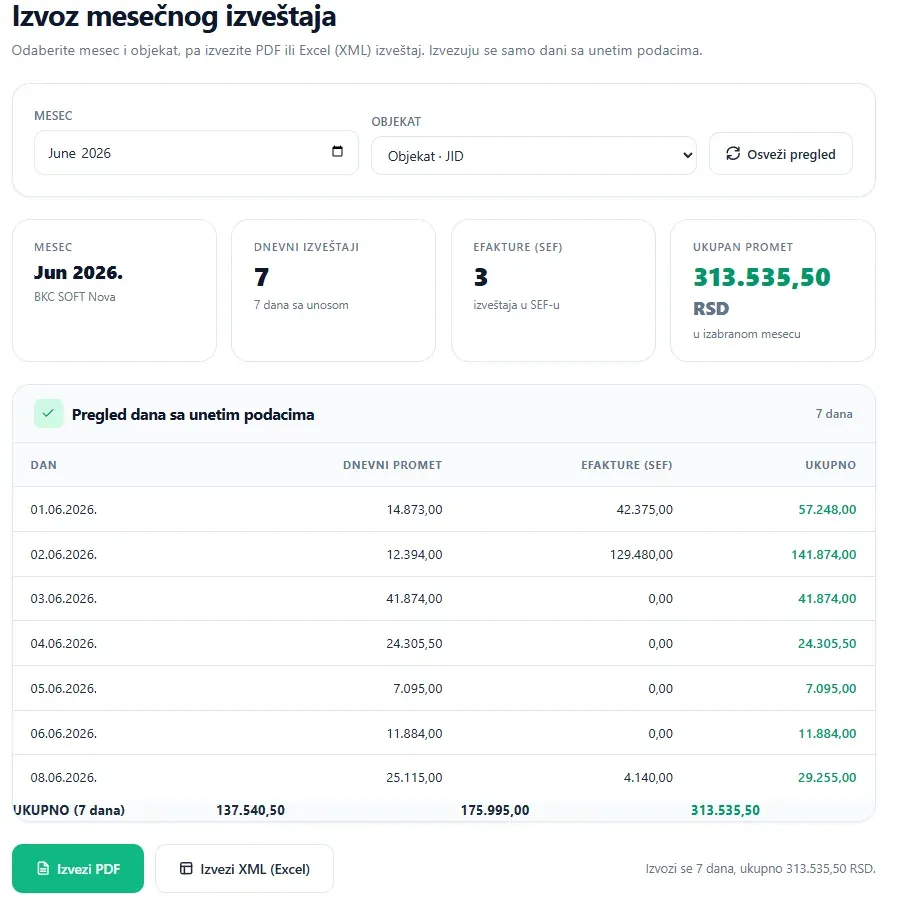
- Monthly report by location, exported to PDF and XML
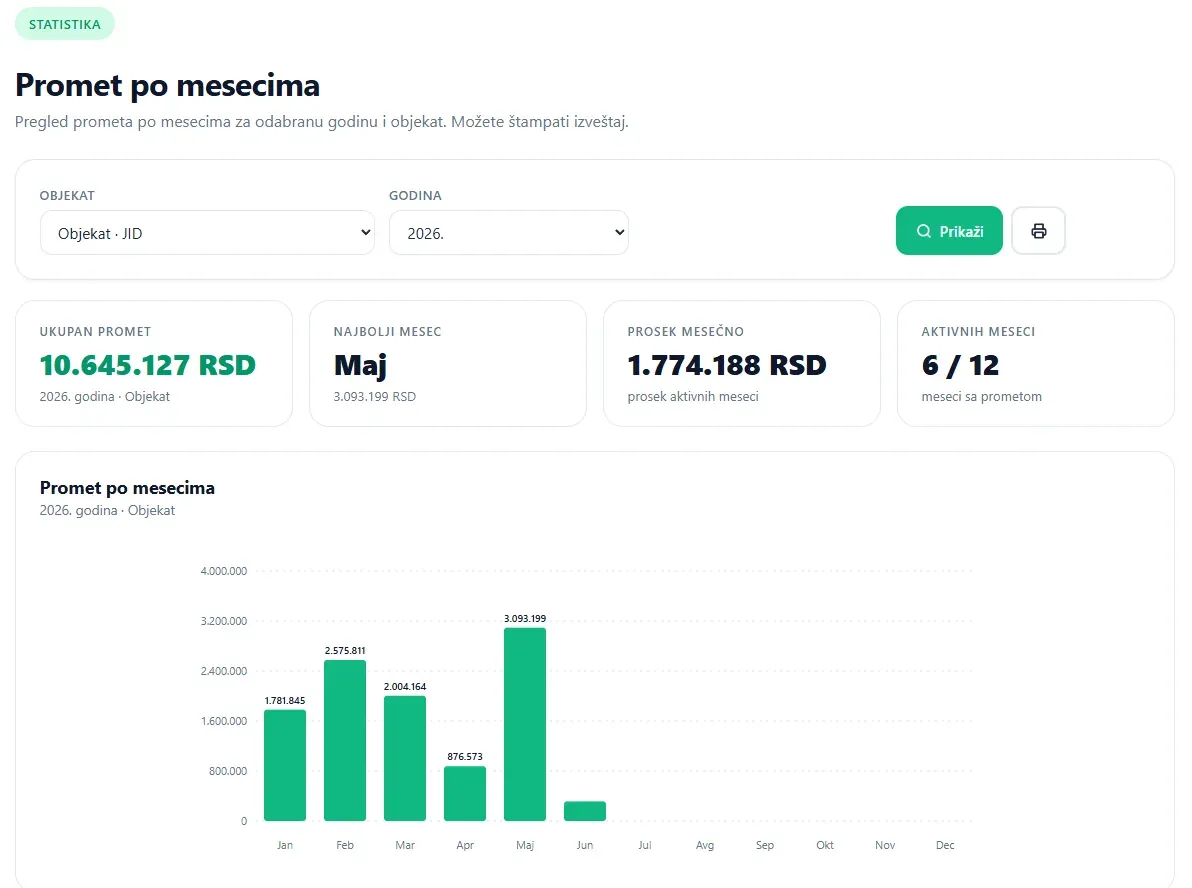
- Turnover statistics by month, with best month and average
- Admin panel for adding, editing and removing software users
- Generation of a unique registration number when a user is added
- Issuing and extending licences that the software collects on its own
- Contact form verified by adding two numbers
The website of a company that makes software usually stands beside the product and talks about it. Here the website is part of the product.
One address in fact holds three separate systems, each with its own audience:
- The brochure — for someone still choosing a fiscalisation solution.
- The partner portal — for the owner of a business. They follow, add and amend the daily reports coming off the till, and read turnover statistics.
- The admin side — for the company itself. Fiscal register customers are managed from here, and their licences issued.
These are not three pages but three levels of access, three flows of data and three different reasons for opening the site. They arrived one at a time: the brochure went up in 2022, the partner portal followed in 2024.
The link between them runs both ways. Licences go down: a user is added in the admin panel, gets a unique registration number derived from the one inside the software, and the software then pulls its licence from the site. Daily reports come up: the register sends them, the site sorts them by location and adds them up.
Which is why manual entry matters more than it looks. A café loses its internet, the day passes, the report never leaves. Without manual entry the records keep a hole in them forever — in exactly the thing the accountant asks for.
Result
Licences are issued and extended from the website and the software collects them itself — no more site visits for a single change. An owner with several locations sees every day and every location in one place, and a day without internet is entered manually afterwards instead of staying a hole in the records. The system has been running and under maintenance since 2022, with additions as the business grew.
From the application
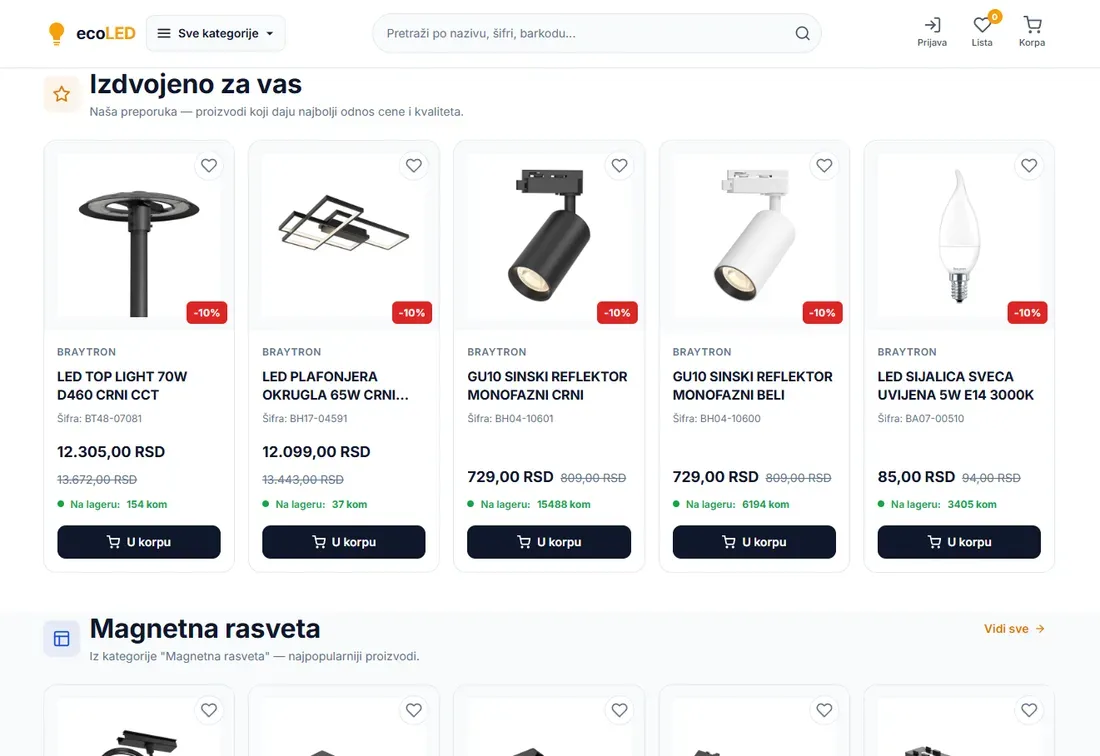
E-commerce and automation · 2025
EcoLED
A shop with over 1,700 products that nobody keys in — stock, prices and catalogue arrive from the supplier on a schedule, and selling runs across three channels.
- PHP
- MySQL
- JavaScript
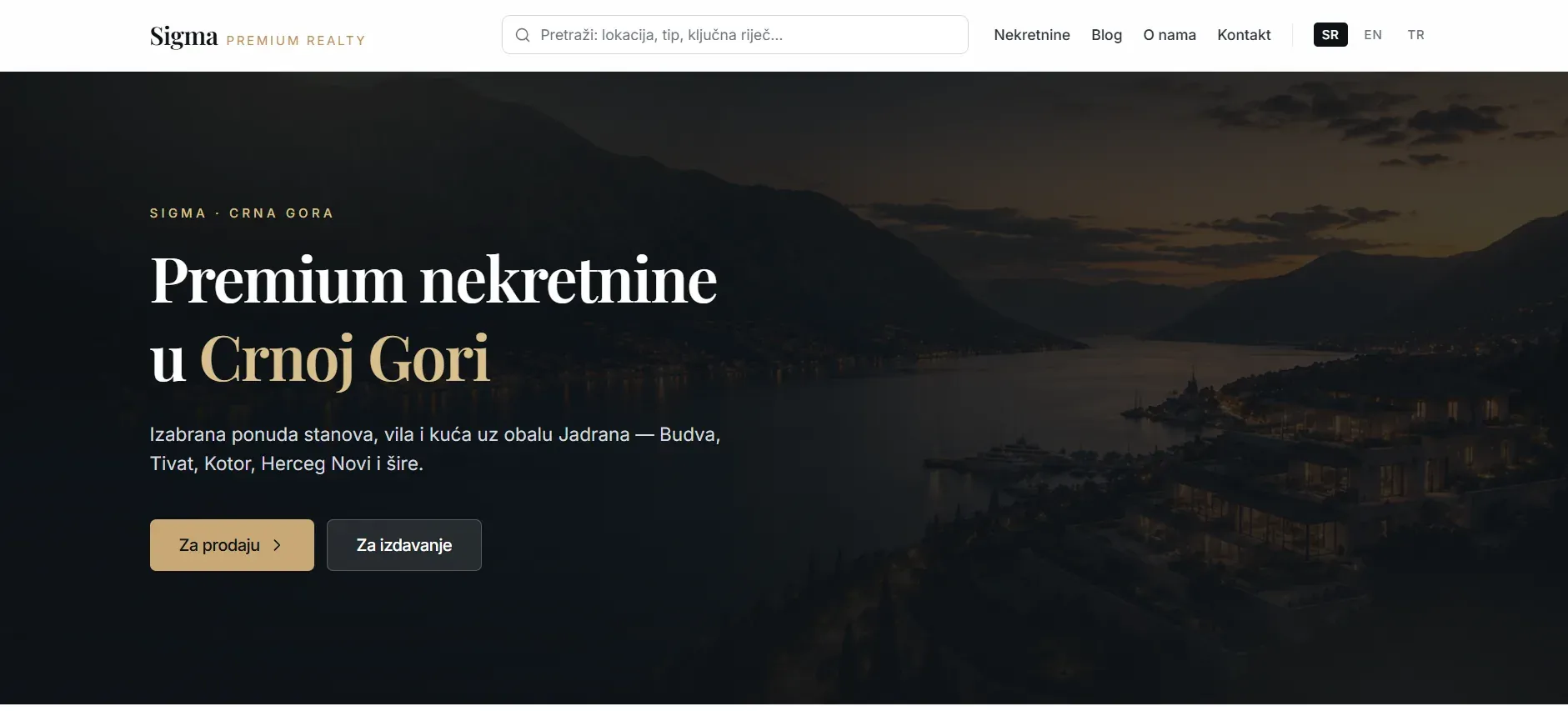
Real estate portal · 2026
Sigma Premium Realty
A real estate portal for the Montenegrin coast in three languages with translated URLs, its own analytics, and a search that records what buyers ask for and cannot find.
- Laravel 12
- PHP 8.3
- MySQL 8
- Livewire 3
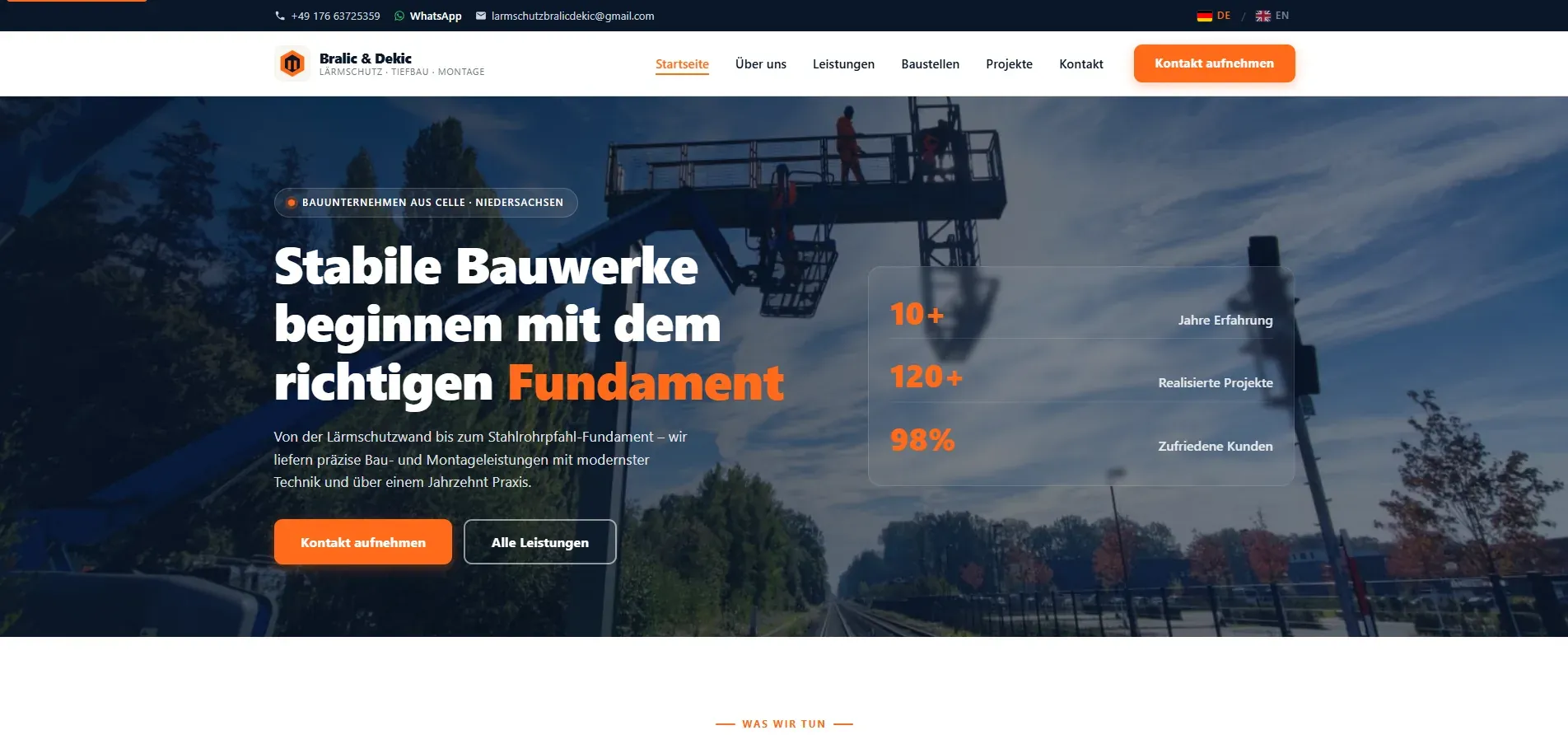
Website for the German market · 2026
Bralić & Dekić
A website for a construction firm in Germany, built to German legal requirements, with a German-language admin the client uses to publish finished sites themselves.
- PHP
- JavaScript
- HTML
- MySQL